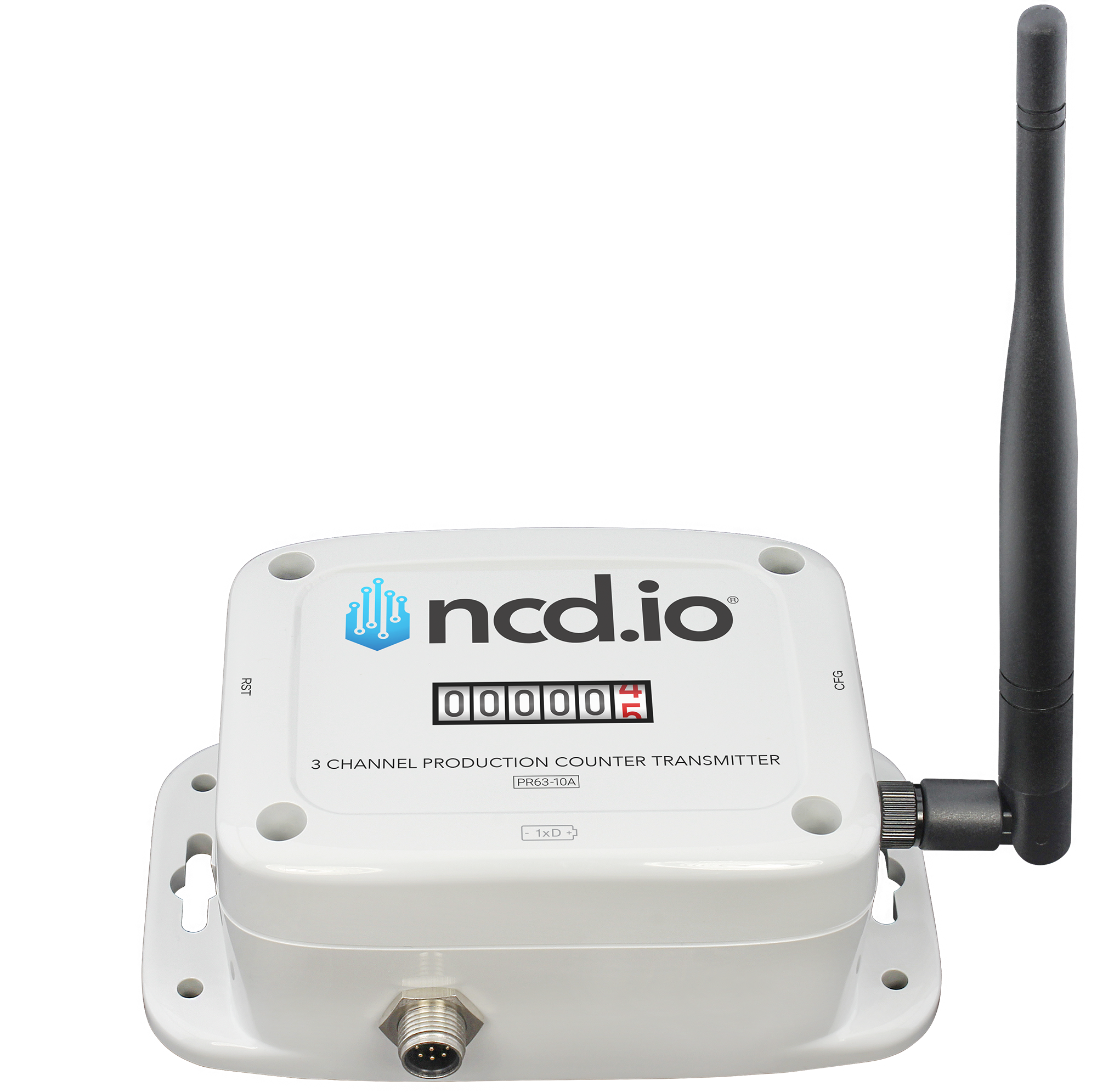
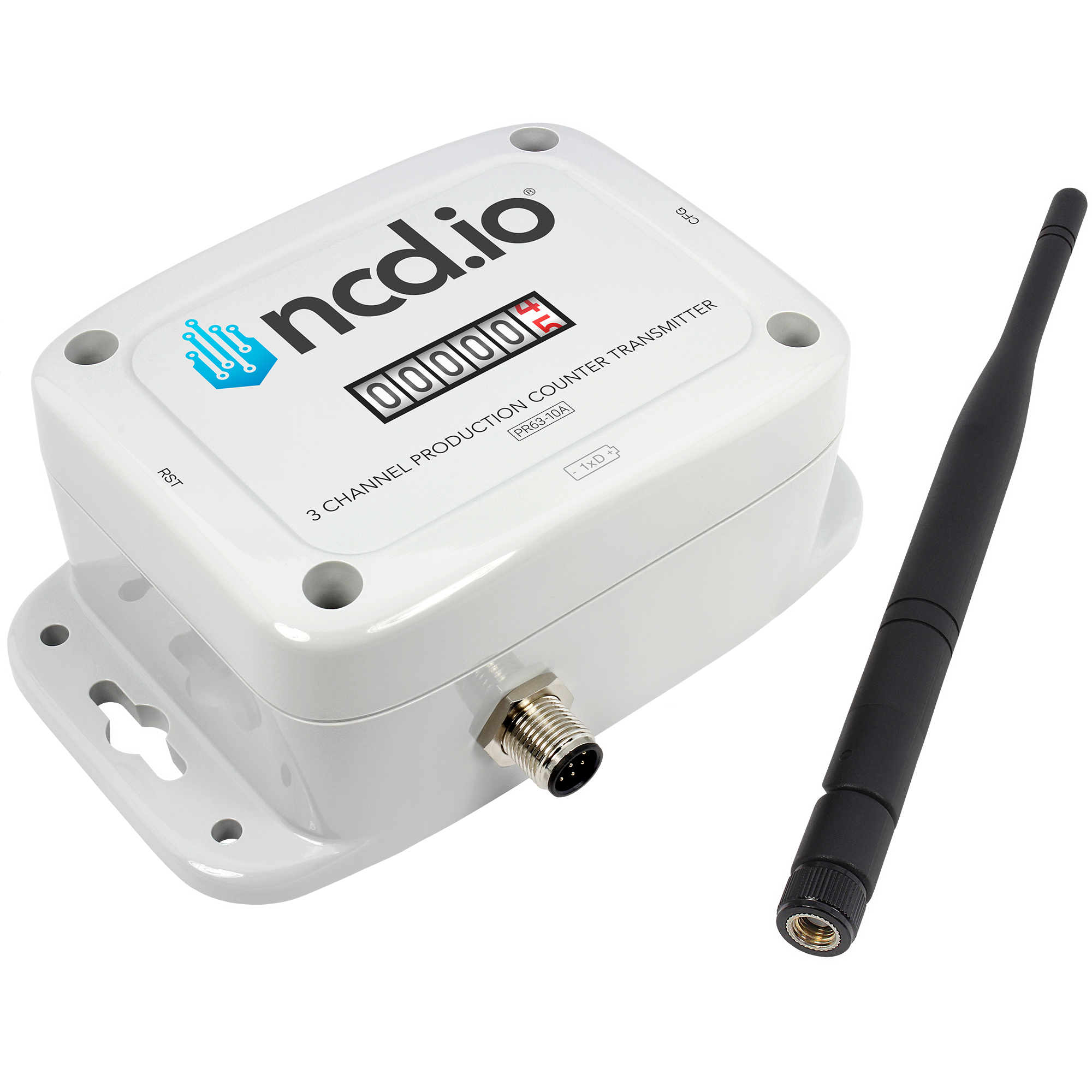
3-Channel Industrial Wireless Production Counter

Count Every Cycle.
Expose Every Bottleneck.
Three Channels. Real OEE.

You can’t fix the bottleneck you can’t see. Count cycles, measure uptime, and track downtime across three isolated channels, wirelessly, so every stop and slowdown shows up in the data.
3
Counting Channels
PNP/NPN
Sensor Support
2mi
Wireless Range
OEE
Count + Uptime Data
Your Data Stays On Your Network
No Cloud Account Required
Buy Once. Count Forever.
Export to Any MES, CMMS or Cloud
Made in USA flag Made in USA
Setup

From Sensor to Cycle Count in Minutes

No PLC programming. No cloud accounts. Wire a sensor, power on, start counting.

01

Wire Your Sensors

Connect up to three photo eyes, proximity sensors, or contact-closure inputs to the isolated channels. Works with any PNP or NPN sensor at 3.3–24V.

02

Wireless Mesh

Self-forming wireless mesh network on 868MHz / 900MHz / 2.4GHz. Up to 2-mile line-of-sight range on the 868/900MHz models, with multi-hop routing across your facility.

03

Atrium Gateway

Receives counts, uptime, and status, stores them locally, and serves dashboards in your browser. Forward to any MES, CMMS, or cloud via MQTT or Node-RED.

04

Monitor & Act

Track cycles, uptime, current status, and throughput on live dashboards. Configurable email alerts flag stopped lines and downtime before a shift is lost.

Three isolated channels in one battery-powered counter. No control cabinet, no wiring runs back to a PLC.
Why Three Channels

Three Channels, One Full Picture

One channel gives you a number. Two give you a ratio. Three give you the place it went wrong, because with a count at every step a loss stops being a total and starts having an address.

CH 1Good parts off the line
CH 2Parts sent to rework
CH 3Parts scrapped outright
The trio tells you

True first-pass yield. Two channels tell you good against bad. The third separates what you fixed from what you threw away, and rework is where the labor cost actually hides.

CH 1Parts in at the start
CH 2Parts through the middle
CH 3Parts out at the end
The trio tells you

Where the line loses it. A count at every step turns a shortfall into a location. You stop arguing about which station is the constraint and read it off the gaps between the three.

CH 1Machine A in the cell
CH 2Machine B beside it
CH 3Machine C on the end
The trio tells you

Which of the three is behind. One counter, one battery, and one mesh connection cover an entire cell, so comparing three supposedly identical machines takes no extra hardware and no extra mounting.

CH 1Machine cycles or strokes
CH 2Fault and jam events
CH 3Changeovers and setups
The trio tells you

Planned time vs. lost time. Splitting stoppages into faults and changeovers is the difference between a machine that breaks and a schedule that churns, and they call for opposite fixes.
Built for Atrium
Complete IoT Platform

A Full IoT Solution, No Development Team Required

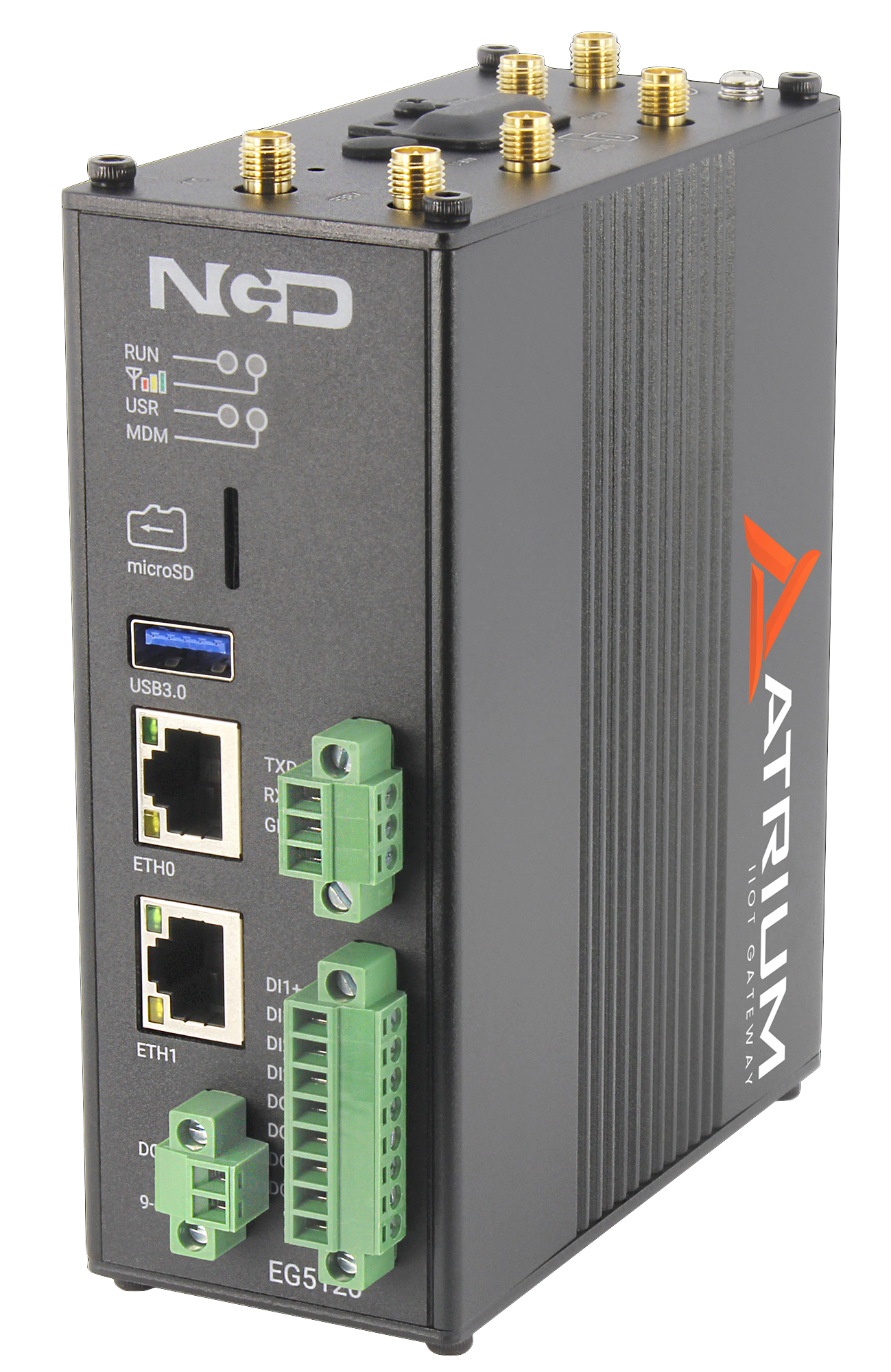
The Atrium Gateway isn’t just a data receiver. It’s a complete industrial IoT platform with dashboards, alerts, reporting, and productivity monitoring built in. Open your browser and go.

Atrium IIoT Gateway

Build Dashboards in Your Browser

Drag-and-drop widgets let you build custom monitoring views for any audience, operators on the floor, maintenance managers, or front-office leadership. Every dashboard auto-refreshes and supports fullscreen mode for wall-mounted displays.

  • Metric cards for cycle count, uptime, and input status, straight from the counter with no formula to build
  • Gauges with color bands, so a value crossing your warning line changes color
  • Line graphs with multi-metric overlays and configurable time ranges
  • Synthetic Variables, a computed value built from the counter’s own metrics (cycles per running minute, for example) that you can chart and alert on like any other reading
  • Multiple dashboard Views, so the floor, quality, and the front office each get their own tab
  • Fullscreen mode for TV displays on the plant floor, with quick ranges (1H, 6H, 24H, 7D, 30D) or an exact start and end window
  • Add, edit, and rearrange widgets without writing code
Widgets, Custom Dashboard
Press Room Counter, Latest ReadingsExport CSVEditDelete
SensorMetricValueTime
Press Room CounterCh 1 Blanking Count18420.008/24/2026, 2:32:07 PM
Press Room CounterCh 2 Forming Count15980.008/24/2026, 2:32:07 PM
Press Room CounterCh 3 Trim Count12340.008/24/2026, 2:32:07 PM
Press Room CounterCh 1 Uptime26280.00 sec8/24/2026, 2:32:07 PM
Press Room CounterCh 1 Input Status1.008/24/2026, 2:32:07 PM
Press Room CounterBattery3.02 V8/24/2026, 2:32:07 PM

Set Thresholds. Get Notified. Automate Responses.

In Atrium, Triggers are threshold conditions on a single sensor metric, they fire when a value crosses the line. Actions link one or more triggers to responses like email or relay control, and run when every trigger is met. You build both in the browser, no code required.

  • Triggers fire when a value crosses the threshold, with a separate Reset At point to stop flapping
  • Per-metric conditions on cycle rate, shift count, idle time, and battery voltage
  • Actions run when all their triggers are met, email on trigger, on clear, or both
  • Live status: OK / TRIGGERED for triggers, OK / ACTIVE for actions
  • Relay actions can light an andon stack or stop a line automatically
  • Reuse triggers and actions across every counter in your fleet
Alerts & Automations
Triggers
NameSensorMetricCond.Thresh.CurrentStatus
Low ThroughputLine 1Cycle RateBelow20.0042.00OK
Shift TargetLine 1Shift CountBelow16,00018,420OK
Line StoppedStamping PressIdle TimeAbove300 s612 sTRIGGERED
Low BatteryPackagingBattery VBelow2.80 V3.30 VOK
Actions
NameTriggersActionStatus
Line Stopped AlertLine Stopped (Stamping Press) METEmail (trigger+clear) supervisor@plant.comACTIVE
Throughput WatchLow Throughput (Line 1)Email (on trigger) ops@plant.comOK
Battery NoticeLow Battery (Packaging)Email (trigger+clear) maintenance@plant.comOK

Track Machine Uptime, No MES Required

The counter reports run time in seconds and live input status on its own, and the Productivity Monitor app turns that into running, idle, or stopped. Get shift-level utilization reports without installing a single additional sensor or connecting to your PLC.

  • Automatic run/stop detection from cycle-count activity
  • Shift-by-shift utilization tracking with configurable schedules
  • Target vs. actual runtime with color-coded status
  • Historical trends for continuous improvement programs
  • Export data for Lean/Six Sigma analysis
  • No PLC integration or MES system required
Productivity Monitor
CNC Mill #1
Day Shift
94%
7.5h / 8h target
Target Met
Packaging Line
Day Shift
78%
6.2h / 8h target
On Track
Stamping Press
Day Shift
52%
4.2h / 8h target
Behind

Automated Email Reports

Schedule recurring reports delivered straight to stakeholders’ inboxes. Fleet summaries, sensor group roll-ups, and alert digests, all generated automatically and emailed on your chosen cadence.

  • Fleet Summary, status overview of all connected counters
  • Sensor Group Reports, focused data for specific machine groups
  • Alert Digest, summary of all triggered and resolved alerts
  • Daily, weekly, or monthly delivery schedules
  • Multiple recipients per report
  • PDF and HTML format options
Scheduled Reports
Reports
NameTypeFormatScheduleLast SentEnabled
Shift Production SummaryFleet SummaryPDFDaily at 6:00 AM06/29/2026ON
Downtime DigestAlert DigestCSVDaily at 8:00 AM06/29/2026ON
Packaging Line GroupSensor GroupPDF+CSVMonday at 8:00 AM06/29/2026ON
Weekly Throughput Roll-UpFleet SummaryPDFMonday at 7:00 AM06/22/2026ON
Cycle Count ExportCustom SQL QueryCSVDaily at 11:55 PM06/29/2026ON

The App Center for Your Gateway

The App Center runs on the gateway itself, an app store on your own hardware with no cloud account and nothing to sign into somewhere else. Browse the catalog in your browser, install what the job needs in seconds, and update it in place. Your gateway starts as a lean core and grows only where your operation actually needs it.

  • Every app runs on the gateway, right alongside the data it reads
  • Add an app when a job calls for it, and skip the ones you will never open
  • Apps install and update in place, from the same screen
  • Packages are signed and integrity checked before anything installs
Atrium Apps
App Center
Close
AC
Action
Automate relay control with sensor-triggered recipes and interactive board management.
v1.0.0
EN
Energy Monitor
Monitor energy consumption and identify optimization opportunities.
v1.0.0
EV
Environmental
Monitor temperature, humidity, air quality, and compliance across facility zones.
v1.0.0
AP
AssetPulse
Machine Health
Predictive maintenance for rotating equipment: set up assets, monitor vibration, and get plain-language health insights.
v1.2.0 Premium
OE
OEE
Overall Equipment Effectiveness tracking and analysis.
v1.0.0
PM
Productivity Monitor
Track machine runtime against shift quotas with real-time gauges.
v1.0.0
Add only the apps your operation needs — right on your gateway.

Connect to Anything, Or Nothing

Atrium works as a fully self-contained system, but when you need to integrate, Node-RED is built in and ready. Push data to cloud platforms, databases, or custom APIs, all configured through a visual flow editor.

  • Node-RED pre-installed with sensor data nodes ready to use
  • Push to AWS IoT, Azure IoT Hub, Google Cloud, or any MQTT broker
  • REST API for custom integrations and data export
  • SQLite database with direct query access
  • Modbus TCP/RTU support for PLC integration
  • VPN and Cloudflare Tunnel support for secure remote access
Integrations, Node-RED
Available Integrations
Node-RED
Visual flow editor, pre-installed
MQTT
Any broker, local or cloud
Modbus TCP/RTU
PLC systems
REST API
MES, ERP & custom endpoints
AWS IoT
IoT Core & Greengrass
Azure IoT
IoT Hub & Event Hubs
Google Cloud
Pub/Sub & IoT Core
SQLite
Direct local DB access
Counter Capabilities

Built for the Plant Floor

Everything runs locally. No cloud dependency. No software license.

3 Isolated Digital Input Channels

Count three independent inputs from one counter. Isolated inputs protect the electronics from electrical noise on the plant floor. Counter range up to 4,294,967,295 events.

Connect Any PNP or NPN Sensor

Works with photo eyes, break-beam, reflector, and proximity sensors, plus dry and wet contact closures. Inputs accept 3.3–24V.

32-Bit Uptime, Calculated On Board

The counter tracks how long each input stays active and reports total run time in seconds with every transmission, alongside the cycle count, so cycle-time analysis and downtime reporting start from measured run time rather than an estimate.

Live Input Status Every Report

Each transmission carries the state of every input at that exact moment, on or off, so a dashboard shows whether the machine is running right now, not just what it counted.

On-Board Clock, Automatic Shift Reset

A real-time clock timestamps every transmission. Set a shift-end time and the counter zeroes its counts and uptime on its own, so each shift starts clean without anyone pressing anything.

Reports on Schedule, or on Change

Choose a regular reporting interval that suits your process, and enable interrupt reporting to have the counter transmit the instant an input changes state, without wasting airtime or battery.

Technical Specifications

Full Spec Sheet

3
Counting Channels
3.3–24V
Sensor Inputs & Contact Closure
2mi
Wireless Range
IP65
Enclosure

Inputs & Counting

Channels3
Input TypesDigital pulse / contact closure
Sensor CompatibilityPNP/NPN optical, break-beam, photo eye, reflector, dry & wet contact closure
Reported DataCumulative count, uptime (seconds), input status, and RTC timestamp
Uptime CalculationOn-board 32-bit accumulator; total time the input is active, reported in seconds
Input StatusLive input state (ON / OFF) at the moment of transmission
Report TypesRegular (user-defined interval) or Interrupt (immediate on input state change, when enabled)
Real-Time ClockOn-board RTC timestamps every transmission; a configured shift-end time automatically resets count and uptime
Isolated Input Voltage3.3V to 24V
Counter Resolution32-bit per channel
Counter Range1 to 4,294,967,295 events per channel

Wireless & Network

Frequency Bands868 MHz / 900 MHz / 2.4 GHz
Band classSub-GHz (868 / 900 MHz) — sub-gigahertz radio travels farther and penetrates walls and equipment far better than higher-frequency Wi-Fi or Bluetooth
ProtocolLong-range wireless mesh
Range (line of sight)Up to ~2 miles (868/900MHz); ~1 mile (2.4GHz)
Range (dense urban)~1000 ft (868/900MHz); ~300 ft (2.4GHz)
Data Rate80 Kbps (868MHz); 200 Kbps (900MHz); 250 Kbps (2.4GHz)
Encryption128-bit AES

Power & Battery

BatteryD-cell with Supercap
Battery LifeUp to 5 years
Sensor PowerPowered sensors (photo eyes, proximity switches) require their own external power supply — the counter battery powers the counter only
External PowerOptional externally powered variant, with automatic failover to battery
Power OptionsBattery only, or external power connector + battery

Enclosure & Mounting

Dimensions3.54″ W × 4.52″ L × 2.16″ H
Enclosure RatingIP65 (main enclosure only); NEMA 1,2,4,4X,12,13; UL-508
Operating Temperature-40°C to +85°C (component rated, as tested)
Humidity0–90%
MountingWall-mount or magnet-mount

Ratings & Compliance

868/900MHz ModelsCE/RED, RoHS
2.4GHz ModelsFCC (US), IC (Canada), RCM (Australia), Anatel (Brazil), MIC (Japan), KCC (South Korea), RoHS

Ordering

Part numberPR63-10A_PWR
Find Your Fit

Pick the Counter for Your Job

Every one of these runs the same counting engine, the same D-cell power, the same wireless mesh, and the same Atrium dashboard and alerts — and every channel counts to 4,294,967,295. The only question is how many things you need to count from one spot.

Choose how many machines you need to count
1-Channel Production Counter

One input, one count. Wire a photo eye, proximity switch, or contact closure to the single channel and it counts every pulse, even while asleep. The right pick when you need the number off one machine, one line, or one press.

Counting channels1
Best forOne machine or one line
2-Channel Production Counter

Two independent inputs on one battery and one radio. The pick when the number you actually manage is a comparison, good against reject, in against out, cycles against faults, measured on the same device at the same instant.

Counting channels2
Best forA pair you need to compare
THIS SENSOR
3-Channel Production Counter

Three independent isolated inputs sharing one battery, one radio, and one mesh connection. Each channel counts its own machine or station, so one device covers a whole cell and gives you the comparison between them.

Counting channels3
Best forUp to three machines or stations
Applications

Three Channels, and What Goes on Each One

Every one of these needs three counts taken at the same instant. Each channel keeps its own 32-bit counter, so the three numbers arrive already lined up, never stitched together afterward.
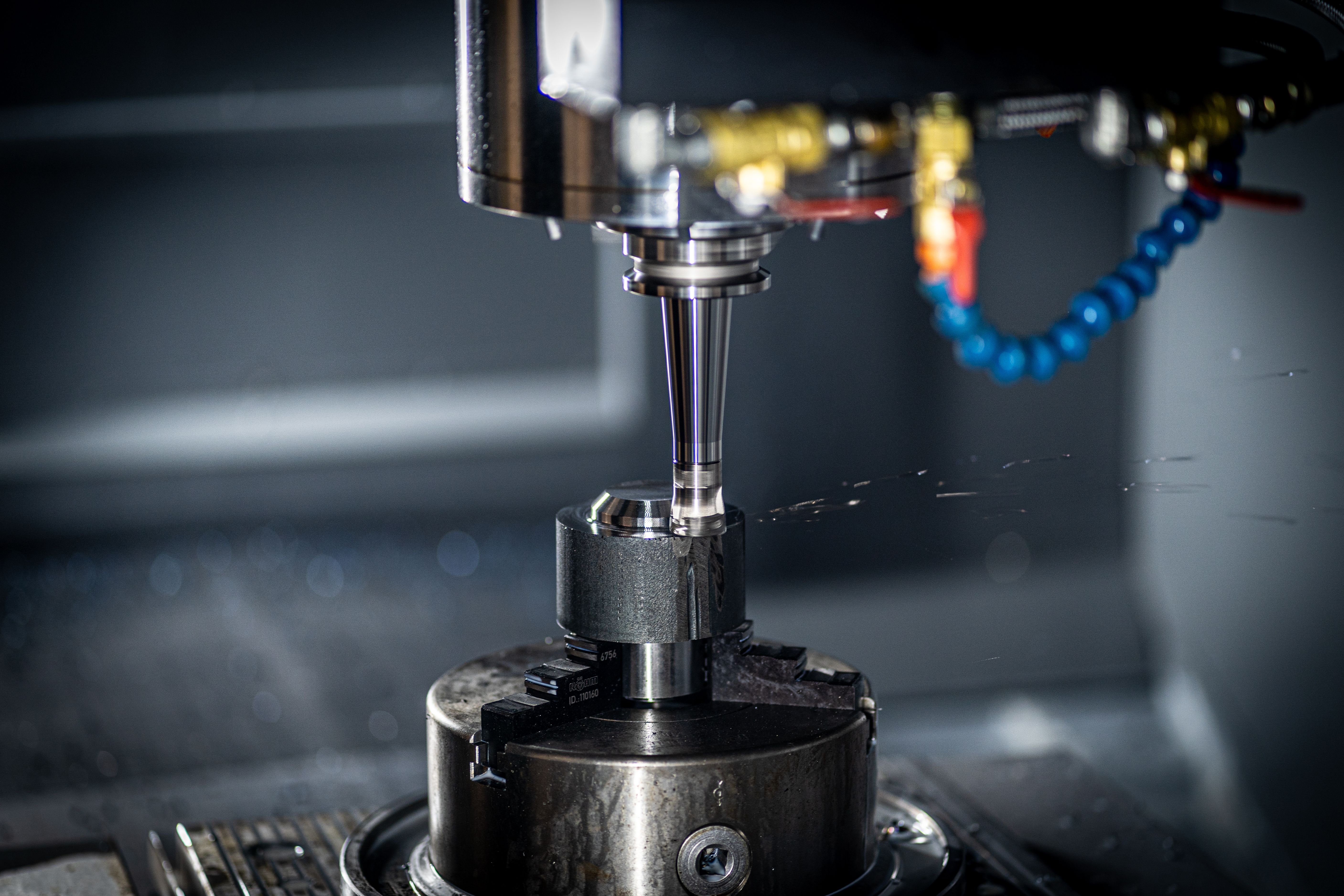
One Cell, Three MachinesOne Cell, Three Machines

Three presses, molders, or CNCs standing in one cell can share a single counter — one battery to change, one radio to commission, and one place to see which of the three is falling behind the other two.

CH 1Cycle sensor on machine one
CH 2Cycle sensor on machine two
CH 3Cycle sensor on machine three
3 assetscovered by one counter
Good, Reject, and ReworkGood, Reject, and Rework

A pass/fail split hides the difference between a part you threw away and a part you can still recover. Counting the third path separately tells you which kind of loss you actually have.

CH 1Photo eye on the good-parts path
CH 2Sensor at the reject chute
CH 3Sensor at the rework diverter
True yieldwith rework broken out
Infeed, Outfeed, and StoppageInfeed, Outfeed, and Stoppage

Count what enters the line and what leaves it and you know something is going missing. The third channel is what tells you whether a stoppage explains the gap or whether the parts are being lost some other way.

CH 1Break-beam at the infeed
CH 2Break-beam at the outfeed
CH 3Fault or e-stop relay contact
The gapand the reason for it
Three Stations of One ProcessThree Stations of One Process

Stamp, weld, pack. Put a count at each station and the bottleneck stops being an argument — the station where the number drops off is the one to fix, and all three are measured against the same clock.

CH 1Parts completed at station one
CH 2Parts completed at station two
CH 3Parts completed at station three
Bottleneckpinned to a station
Cycles, Faults, and the Operator's CallCycles, Faults, and the Operator’s Call

Machine signals tell you the line quit running. A momentary push button on the third input lets the operator say it was a material shortage rather than the machine, so the stop arrives with a reason attached to it.

CH 1Machine cycle or stroke contact
CH 2Fault or jam relay output
CH 3Operator call button, dry contact
Stopswith a cause, not a guess
Three Utility Meters on One CounterThree Utility Meters, One Counter

Water, compressed air, and gas meters with pulse outputs all speak the same language this counter already reads. Wire three of them and consumption per unit produced turns into a live number instead of a monthly bill.

CH 1Water meter pulse output
CH 2Compressed-air meter pulse
CH 3Gas or steam meter pulse
3.3–24Visolated pulse inputs
Strokes, Parts, and ScrapStrokes, Parts, and Scrap

On a multi-out die, strokes and parts are not the same number, and neither one alone tells you what the tool is doing. Count the ram, the good parts, and the scrap on separate channels and tooling maintenance gets scheduled on real stroke count instead of a calendar.

CH 1Press stroke or ram-down contact
CH 2Good parts leaving the die
CH 3Scrap chute or slug-detect signal
Die lifemeasured in strokes
Cases, Layers, and PalletsCases, Layers, and Pallets

Three counts of the same product at three different sizes, all taken on one counter. When cases per layer and layers per pallet stop agreeing, you find out on the floor rather than when the customer reports a short shipment.

CH 1Case count at the case packer
CH 2Layer-complete signal on the palletizer
CH 3Full pallet discharged
Nested countsthat have to agree
Three Lanes of One FillerThree Lanes of One Filler

Identical parallel lanes should produce identical numbers. A single combined total hides the lane that is running behind the other two, so a partly blocked nozzle just looks like a slightly slow shift.

CH 1Photo eye on lane one
CH 2Photo eye on lane two
CH 3Photo eye on lane three
Lane skewvisible per shift

Not every channel has to be in use on day one. Wire what you have now, and the two spare inputs are already mounted, powered, and on the network when the next machine or the next question shows up.

The Cost of Not Counting

You Can’t Fix the Bottleneck You Never Counted.

The micro-stops add upA clipboard catches the hour-long breakdown but never the thirty-second stalls that happen all shift, every shift, quietly eating your capacity.
Downtime blamed wrongWithout a timestamped count, why a line came up short is a debate, not a fact, so the same bottleneck gets “fixed” again next quarter.
Capacity left on the floorThe output you never measured is the output you never recover, you can’t schedule, bill, or improve a number you don’t have.
Total Cost of Ownership

Own vs. Rent, 3 Years, 10 Counters

The math is simple. One purchase versus compounding monthly fees.

NCD (Own It)
Competitor Subscription
Hardware (10 counters)
$3,199.50
$3,000 – $5,000
Gateway / Hub
$649 (one-time)
Included (with subscription)
Monthly Software Fee
$0, None. Ever.
$50 – $100 / machine / month
Data Ownership
100% yours, on your network
Locked in vendor cloud
Contract Required
No contract
1–3 year commitment
Forward to Your Cloud
MQTT, Node-RED, any endpoint
API access extra or unavailable
3-Year Total
~$3,849
$21,000 – $41,000
Your savings over 3 years (10 counters):
SAVE $17,000 – $37,000

Frequently Asked Questions

Answers to the most common questions about wireless production counting and uptime monitoring.

Counting & Sensors

The IoT Wireless 3 Channel Production Counter from NCD counts events from up to three sensors and transmits the totals wirelessly to a gateway. Each isolated channel connects to a photo eye, proximity sensor, or contact closure and increments a count every time a part, cycle, or pulse is detected, so you can measure throughput and uptime without wiring back to a PLC.

The counter has 3 independent isolated channels in a single battery-powered counter. Each channel counts up to 4,294,967,295 events and can be wired to a different sensor or machine, so one device can monitor three count sources at once.

The 3 Channel Production Counter accepts any PNP or NPN sensor, including photo eyes, break-beam, reflector, and proximity sensors, plus dry and wet contact closures. The isolated inputs accept 3.3V to 24V, so it pairs with the sensors already common on most production lines.

Yes. Beyond counting production cycles, the NCD 3 Channel Production Counter logs pulse output from flow meters, letting you track volume and throughput on water, fuel, and process lines. Any pulse signal within the 3.3V to 24V input range can be counted on each channel.

Uptime & Integration

The NCD 3 Channel Production Counter calculates uptime itself. Alongside the cycle count, each transmission carries the total time the input has been active in seconds, the live on/off state of the input, and a real-time-clock timestamp, so run time is measured rather than inferred. Downtime is then a simple calculation from those timestamps, which the Atrium platform handles for you, flagging every stoppage with no manual logging or spreadsheets. You see exactly when a line stopped, for how long, and how often.

Yes. The NCD 3 Channel Production Counter is a standalone wireless counter that reads directly from your sensors, so you do not need to tap into the PLC or run new cable to a control cabinet. This makes it ideal for older machines, leased equipment, or lines where PLC access is restricted.

Yes. The 3 Channel Production Counter uses an open communication protocol, and the Atrium gateway supports MQTT, Modbus TCP, Node-RED, and a REST API. Count and runtime data can flow into any MES, CMMS, or ERP for unified production and maintenance tracking alongside your existing tools.

Wireless & Power

Battery life depends on how often the counter reports. The NCD 3 Channel Production Counter runs up to 5 years, powered by a D-cell with Supercap. The D-cell powers the counter itself, not any connected sensors — powered photo eyes and proximity switches run from their own external supply. An external power connector with automatic battery failover is also supported.

The 3 Channel Production Counter reaches up to roughly 2 miles line-of-sight on the 868/900MHz models and about 1 mile on 2.4GHz, using long-range wireless mesh networking. In dense indoor environments expect around 1000 ft on 868/900MHz; the self-healing mesh extends coverage by routing through other NCD sensors.

Ownership & Build

No. The NCD 3 Channel Production Counter sends data to your own Atrium gateway or system with zero monthly software fees. You own your production data outright and can keep it on your network or forward it to any MES, CMMS, or cloud platform, there are no recurring costs and no vendor lock-in.

Yes. The 3 Channel Production Counter is housed in an enclosure rated IP65 and NEMA 1,2,4,4X,12,13 with UL-508 listing, and the electronics are rated from -40°C to +85°C. Isolated inputs add protection against the electrical noise common on the plant floor, and the unit mounts to a wall or magnetically.

The IoT Wireless 3 Channel Production Counter is designed and manufactured in-house in the USA by National Control Devices, and it is RoHS compliant. NCD has shipped industrial IoT hardware to more than 7,000 customers, and you own both the hardware and the data it produces.

Still have a question?

Our engineers answer in public on the community forum, and the thread stays up for the next person with the same question.

Ask on the NCD Community Forum
IP65 Rated
7,000+ Customers
Ships from USA
Designed & Manufactured In-House
Up to 5-Year Battery Life

Find Every Bottleneck.

One purchase. Full ownership. Industrial production counting that pays for itself.

Buy Now
Need help sizing a system? Talk to an engineer or call (866) 960-1270

Standard Lead Times

Standard lead times are 3-5 business days as we manufacture and test the product at the time of order. Larger orders may require additional time.

Product Identification
SKU: PR63-10A_PWR
UPC: 689860069985
Country of Origin: US
HTS Code: 854231
1+ Pieces
$319.95/ea
10+ Pieces
$307.15/ea
25+ Pieces
$300.75/ea
100+ Pieces
$281.56/ea

Wireless Communication OptionsChange

Please choose a wireless communications module that is legal for use in your region.  Please note: transmission range will be affected by the product options selected below.  If you are in North America, we strongly suggest the 900MHz option for best results.  If you are in Europe, the 2.4GHz and 868MHz versions are the only legal options.  The 2.4GHz option is now certified for use worldwide.  Please note the 2.4GHz version will not penetrate objects as well as the 900MHz and 868MHz versions.  If you need help choosing a wireless option, please contact us.  This option will determine how we build this product and any applicable accessories that may be displayed below.

Optional M12 8P Connector for WiringChange

Break Beam SensorChange

Industrial Wireless Magnetic AttachmentsChange

Would you like a power supply?Change

NCD Controllers Need Power. Standard NCD Power Supplies use a 2.1mm Barrel Connector with 12VDC (center positive) rated at 1.25 Amps (minimum).

Wireless Interface Options for NCD Enterprise IoT Sensors & DevicesChange

Where would you like to send your sensor data?

NCD Enterprise IoT Sensors and Devices are capable of communicating to computers and popular cloud platforms using a variety of interface technologies.  Please choose the communication interface technologies that best matches your application requirements.  You may choose more than one, as NCD Wireless Sensors are capable of sending data to multiple destinations simultaneously.  If you do not already have a receiver for your wireless sensor, you must select a sensor receiver solution below. *Note for Vibration Sensors Vibration data is a more complex data structure and is not recommended to be used with embedded devices such as the MQTT, AWS, or Azure gateways.