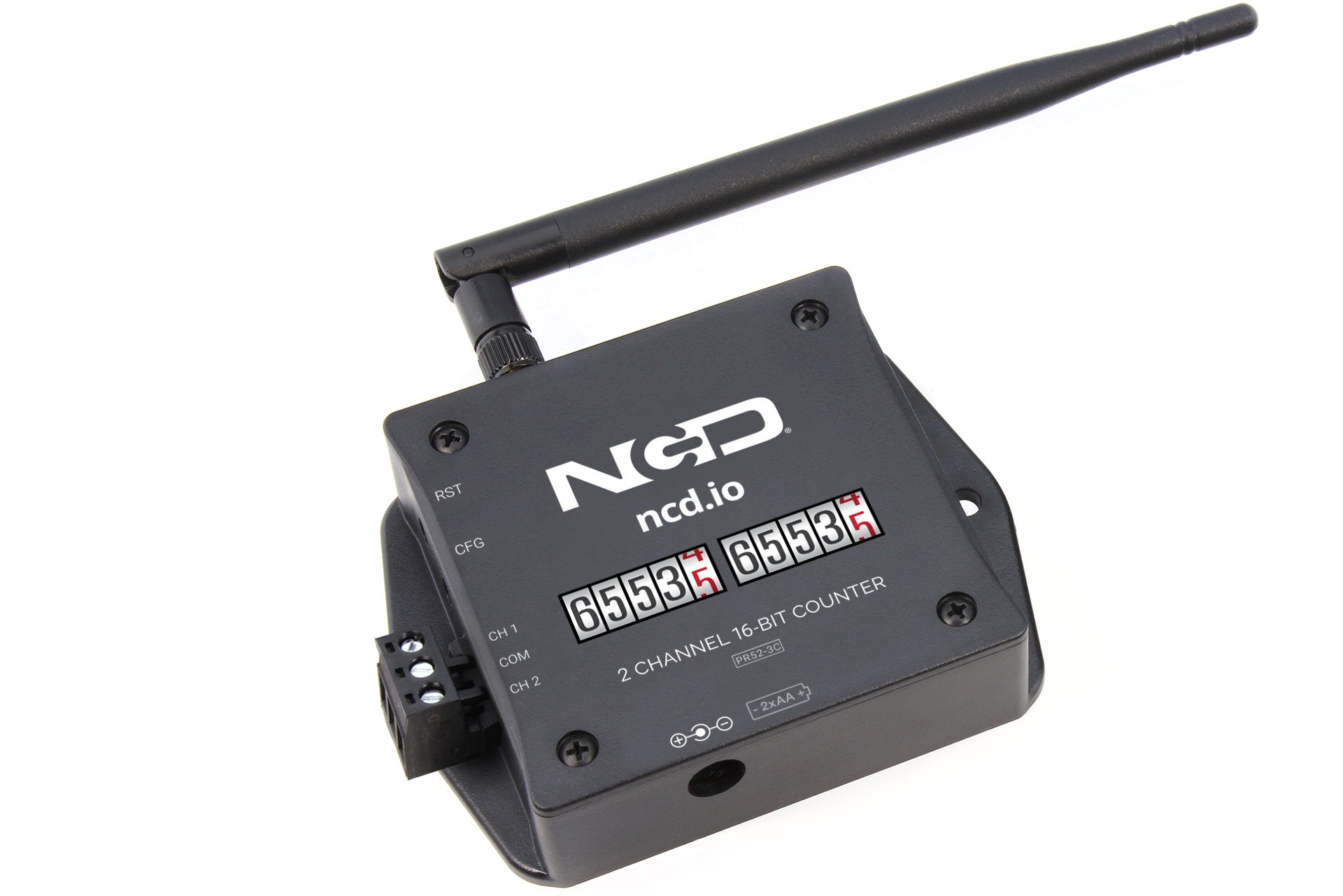
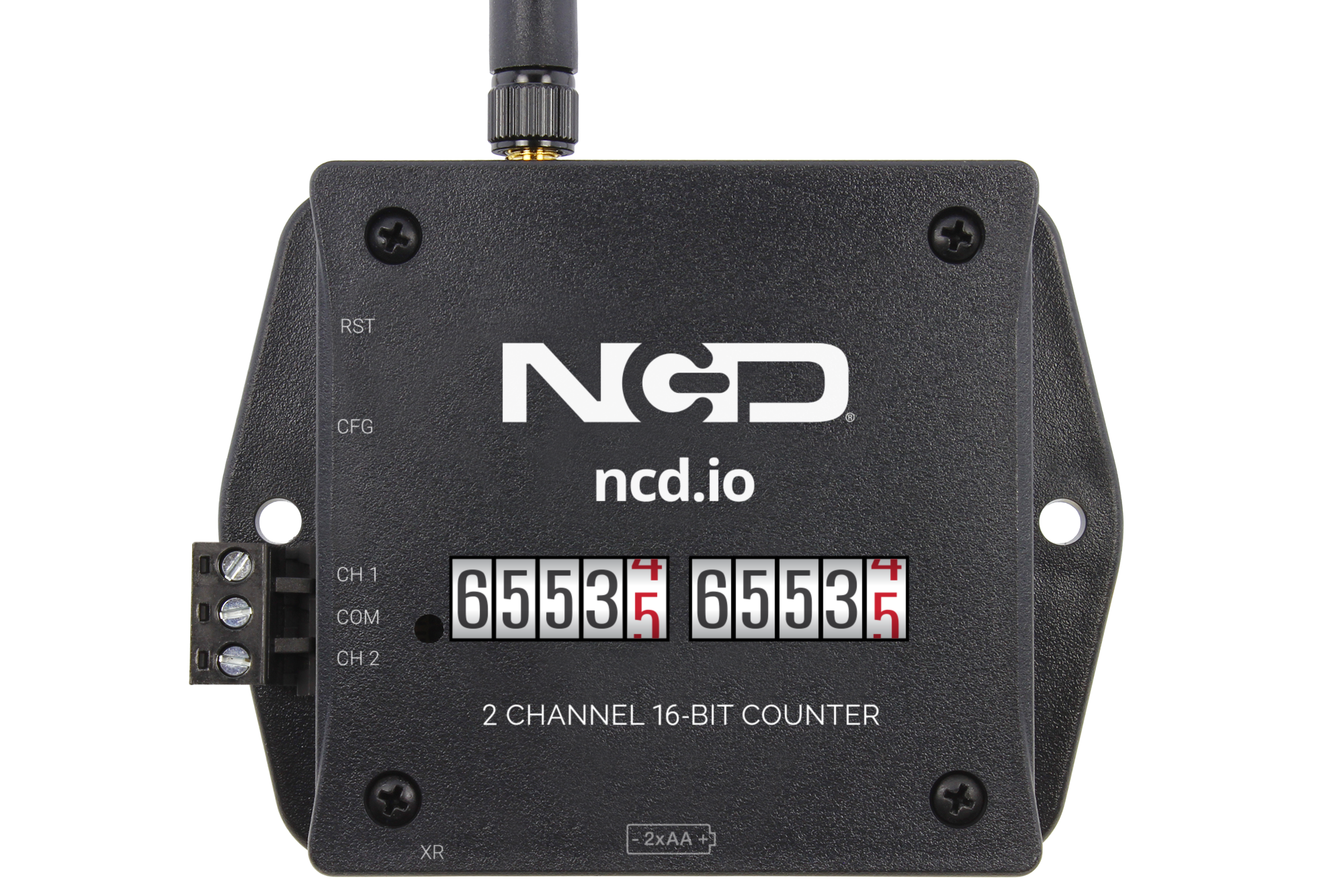
2-Channel Industrial Wireless Production Counter

Two Counts.
One Number That Matters.
Good vs. Reject. In vs. Out.

A second channel isn’t a spare input. Count two things at once from one counter and the pair becomes a ratio, live yield, real shrinkage, stops per thousand cycles, measured wirelessly without ever touching the PLC.
2
Counting Channels
PNP/NPN
Sensor Support
2mi
Wireless Range
OEE
Count + Uptime Data
Your Data Stays On Your Network
No Cloud Account Required
Buy Once. Count Forever.
Export to Any MES, CMMS or Cloud
Made in USA flag Made in USA
Setup

From Two Sensors to a Live Ratio

No PLC programming. No cloud accounts. Wire two sensors, power on, and start comparing.

01

Wire Both Channels

Put a sensor on each isolated input, good parts on one, rejects on the other, or infeed on one and outfeed on the other. Works with any PNP or NPN sensor at 3.3–24V.

02

Wireless Mesh

Self-forming wireless mesh network on 868MHz / 900MHz / 2.4GHz. Up to 2-mile line-of-sight range on the 868/900MHz models, with multi-hop routing across your facility.

03

Atrium Gateway

Receives both counts, uptime, and status, stores them locally, and serves dashboards in your browser. Forward to any MES, CMMS, or cloud via MQTT or Node-RED.

04

Watch the Gap

Atrium charts both channels together, so yield, scrap rate, and shrinkage read straight off the dashboard. Alerts fire when the gap between them moves the wrong way.

Two independent counts, one battery, one radio, one mount. No control cabinet, no wiring runs back to a PLC.
Why Two Channels

Two Channels, One Answer

One channel gives you a number. Two channels give you the number that number is hiding, because the value you actually manage is almost always the difference between a pair.

CH 1 Good parts past the reject gate
CH 2 Parts the gate kicked out
The pair tells you

Live yield. Scrap stops being a number somebody totals at the end of the week and becomes a rate you can watch move while the line is still running.

CH 1 Units entering the line
CH 2 Units coming off the end
The pair tells you

Shrinkage and work-in-process. When outfeed drifts below infeed, product is stuck, jammed, or gone, and you know it while there’s still time to walk the line.

CH 1 Machine cycles or press strokes
CH 2 Fault, jam, or e-stop events
The pair tells you

Stops per thousand cycles. A reliability number that holds up across shifts and part numbers, because it’s normalized to how much the machine actually ran.

CH 1 Machine A in the cell
CH 2 Machine B beside it
The pair tells you

Which twin is falling behind. Two identical machines rarely run identically, and one counter covering both makes the comparison automatic instead of anecdotal.

Built for Atrium
Complete IoT Platform

A Full IoT Solution, No Development Team Required

The Atrium Gateway isn’t just a data receiver. It’s a complete industrial IoT platform with dashboards, alerts, reporting, and productivity monitoring built in. Open your browser and go.

Atrium IIoT Gateway

Put Both Channels on One Chart

Drag-and-drop widgets let you build custom monitoring views for any audience, operators on the floor, quality engineers, or front-office leadership. Overlay the two channels on a single graph and the ratio between them becomes the thing everyone watches.

  • Separate metric cards for each channel, live and cumulative
  • Multi-line overlays that plot channel 1 against channel 2 over any time range
  • Synthetic Variables for yield, scrap rate, and the gap between the pair, computed from the two channels and charted like any other reading
  • Uptime in seconds and live input status arrive straight from the counter, no formula to build
  • Multiple dashboard Views, so the floor, quality, and the front office each get their own tab
  • Fullscreen mode for TV displays on the plant floor, with quick ranges (1H, 6H, 24H, 7D, 30D) or an exact start and end window
  • Add, edit, and rearrange widgets without writing code
Widgets, Custom Dashboard
Filler Line Counter, Latest ReadingsExport CSVEditDelete
SensorMetricValueTime
Filler Line CounterCh 1 Good Count18420.008/24/2026, 2:32:07 PM
Filler Line CounterCh 2 Reject Count742.008/24/2026, 2:32:07 PM
Filler Line CounterCh 1 Uptime26280.00 sec8/24/2026, 2:32:07 PM
Filler Line CounterCh 1 Input Status1.008/24/2026, 2:32:07 PM
Filler Line CounterBattery3.02 V8/24/2026, 2:32:07 PM

Alert on the Ratio, Not Just the Count

In Atrium, Triggers are threshold conditions on a single sensor metric, they fire when a value crosses the line. Actions link one or more triggers to responses like email or relay control, and run when every trigger is met. With two channels you can watch throughput and quality at the same time, and catch the shift where output held steady while scrap quietly doubled.

  • Triggers fire when a value crosses the threshold, with a separate Reset At point to stop flapping
  • Per-channel conditions on count, rate, idle time, and battery voltage
  • Actions run when all their triggers are met, email on trigger, on clear, or both
  • Live status: OK / TRIGGERED for triggers, OK / ACTIVE for actions
  • Relay actions can light an andon stack or stop a line automatically
  • Reuse triggers and actions across every counter in your fleet
Alerts & Automations
Triggers
NameSensorMetricCond.Thresh.CurrentStatus
Yield Below TargetFiller LineCh1 / Ch2 YieldBelow95.0096.00OK
Reject SpikeCap LineCh2 RateAbove30.0061.00TRIGGERED
Outfeed GapPalletizerCh1 − Ch2Above15038OK
Low BatteryPress CellBattery VBelow2.80 V3.30 VOK
Actions
NameTriggersActionStatus
Scrap EscalationReject Spike (Cap Line) METEmail (trigger+clear) quality@plant.comACTIVE
Yield WatchYield Below Target (Filler Line)Email (on trigger) ops@plant.comOK
Battery NoticeLow Battery (Press Cell)Email (trigger+clear) maintenance@plant.comOK

Track Machine Uptime, No MES Required

The Productivity Monitor app uses live production-count data to automatically detect when machines are running, idle, or stopped. With two channels on one counter, a single sensor can report utilization for a pair of machines side by side.

  • Automatic run/stop detection from cycle-count activity
  • Per-channel utilization, so a two-machine cell reports as two assets
  • Shift-by-shift tracking with configurable schedules
  • Target vs. actual runtime with color-coded status
  • Historical trends for continuous improvement programs
  • No PLC integration or MES system required
Productivity Monitor
Filler, Ch 1
Day Shift
94%
7.5h / 8h target
Target Met
Capper, Ch 2
Day Shift
78%
6.2h / 8h target
On Track
Press Cell
Day Shift
52%
4.2h / 8h target
Behind

Automated Email Reports

Schedule recurring reports delivered straight to stakeholders’ inboxes. Yield summaries, sensor group roll-ups, and alert digests, all generated automatically and emailed on your chosen cadence.

  • Fleet Summary, status overview of all connected counters
  • Sensor Group Reports, focused data for specific lines or cells
  • Alert Digest, summary of all triggered and resolved alerts
  • Daily, weekly, or monthly delivery schedules
  • Multiple recipients per report
  • PDF and HTML format options
Scheduled Reports
Reports
NameTypeFormatScheduleLast SentEnabled
Shift Yield SummaryFleet SummaryPDFDaily at 6:00 AM08/18/2026ON
Scrap DigestAlert DigestCSVDaily at 8:00 AM08/18/2026ON
Filler & Capper GroupSensor GroupPDF+CSVMonday at 8:00 AM08/17/2026ON
Weekly Throughput Roll-UpFleet SummaryPDFMonday at 7:00 AM08/17/2026ON
Both-Channel ExportCustom SQL QueryCSVDaily at 11:55 PM08/18/2026ON

The App Center for Your Gateway

The App Center runs on the gateway itself, an app store on your own hardware with no cloud account and nothing to sign into somewhere else. Browse the catalog in your browser, install what the job needs in seconds, and update it in place. Your gateway starts as a lean core and grows only where your operation actually needs it.

  • Every app runs on the gateway, right alongside the data it reads
  • Add an app when a job calls for it, and skip the ones you will never open
  • Apps install and update in place, from the same screen
  • Packages are signed and integrity checked before anything installs
Atrium Apps
App Center
Close
AC
Action
Automate relay control with sensor-triggered recipes and interactive board management.
v1.0.0
EN
Energy Monitor
Monitor energy consumption and identify optimization opportunities.
v1.0.0
EV
Environmental
Monitor temperature, humidity, air quality, and compliance across facility zones.
v1.0.0
AP
AssetPulse
Machine Health
Predictive maintenance for rotating equipment: set up assets, monitor vibration, and get plain-language health insights.
v1.2.0 Premium
OE
OEE
Overall Equipment Effectiveness tracking and analysis.
v1.0.0
PM
Productivity Monitor
Track machine runtime against shift quotas with real-time gauges.
v1.0.0
Add only the apps your operation needs — right on your gateway.

Connect to Anything, Or Nothing

Atrium works as a fully self-contained system, but when you need to integrate, Node-RED is built in and ready. Push data to cloud platforms, databases, or custom APIs, all configured through a visual flow editor.

  • Node-RED pre-installed with sensor data nodes ready to use
  • Push to AWS IoT, Azure IoT Hub, Google Cloud, or any MQTT broker
  • REST API for custom integrations and data export
  • SQLite database with direct query access
  • Modbus TCP/RTU support for PLC integration
  • VPN and Cloudflare Tunnel support for secure remote access
Integrations, Node-RED
Available Integrations
Node-RED
Visual flow editor, pre-installed
MQTT
Any broker, local or cloud
Modbus TCP/RTU
PLC systems
REST API
MES, ERP & custom endpoints
AWS IoT
IoT Core & Greengrass
Azure IoT
IoT Hub & Event Hubs
Google Cloud
Pub/Sub & IoT Core
SQLite
Direct local DB access
Counter Capabilities

Built for the Plant Floor

Two 32-bit counts, on-board run time, and live input state arriving in one transmission on one timestamp, so the ratio between the pair is exact.

2 Isolated Channels, Counted Separately

Each input keeps its own running total, so the two counts never blur together. Isolated inputs protect the electronics from electrical noise on the plant floor.

Two Counts, One Ratio

Because both counts arrive from the same counter on the same timestamp, the comparison between them is exact, no clock drift between two sensors to reconcile later.

Connect Any PNP or NPN Sensor

Works with photo eyes, break-beam, reflector, and proximity sensors, plus dry and wet contact closures. Inputs accept 3.3–24V, and the two channels don’t have to be the same kind of sensor.

32-Bit Uptime, Calculated On Board

The counter tracks how long each input stays active and reports total run time in seconds with every transmission. No formula to build downstream, the machine’s run time arrives as a number.

Live Input Status Every Report

Each transmission carries the state of every input at that exact moment, on or off, so a dashboard shows whether the machine is running right now. Enable interrupt reporting and the counter transmits the instant that state changes.

On-Board Clock, Automatic Shift Reset

A real-time clock timestamps every transmission. Set a shift-end time and the counter zeroes its counts and uptime on its own, so each shift starts clean without anyone pressing anything.

Technical Specifications

Full Spec Sheet

2
Counting Channels
4.29B
Counts per Channel
3.3–24V
Sensor Inputs & Contact Closure
2mi
Wireless Range
IP65
Enclosure

Inputs & Counting

Channels2
Input TypesDigital pulse / contact closure
Sensor CompatibilityPNP/NPN optical, break-beam, photo eye, reflector, dry & wet contact closure
Reported DataCumulative count, uptime (seconds), input status, and RTC timestamp
Uptime CalculationOn-board 32-bit accumulator; total time the input is active, reported in seconds
Input StatusLive input state (ON / OFF) at the moment of transmission
Report TypesRegular (user-defined interval) or Interrupt (immediate on input state change, when enabled)
Real-Time ClockOn-board RTC timestamps every transmission; a configured shift-end time automatically resets count and uptime
Isolated Input Voltage3.3V to 24V
Counter Resolution32-bit per channel
Counter Range1 to 4,294,967,295 events per channel
ConfigurationCFG button on enclosure

Wireless & Network

Frequency Bands868 MHz / 900 MHz / 2.4 GHz
Band classSub-GHz (868 / 900 MHz) — sub-gigahertz radio travels farther and penetrates walls and equipment far better than higher-frequency Wi-Fi or Bluetooth
ProtocolLong-range wireless mesh
Range (line of sight)Up to ~2 miles (868/900MHz); ~1 mile (2.4GHz)
Range (dense urban)~1000 ft (868/900MHz); ~300 ft (2.4GHz)
Data Rate80 Kbps (868MHz); 200 Kbps (900MHz); 250 Kbps (2.4GHz)
Encryption128-bit AES
AntennaExternal antenna on SMA connector

Power & Battery

BatteryD-cell with Supercap
Battery LifeUp to 5 years
Sensor PowerPowered sensors (photo eyes, proximity switches) require their own external power supply — the counter battery powers the counter only
External PowerOptional externally powered variant, with automatic failover to battery
Power OptionsBattery only, or external power connector + battery
Sleep ModePower-efficient sleep; counts while asleep, wakes/samples/transmits
Battery ReportingBattery level included with every transmission

Enclosure & Mounting

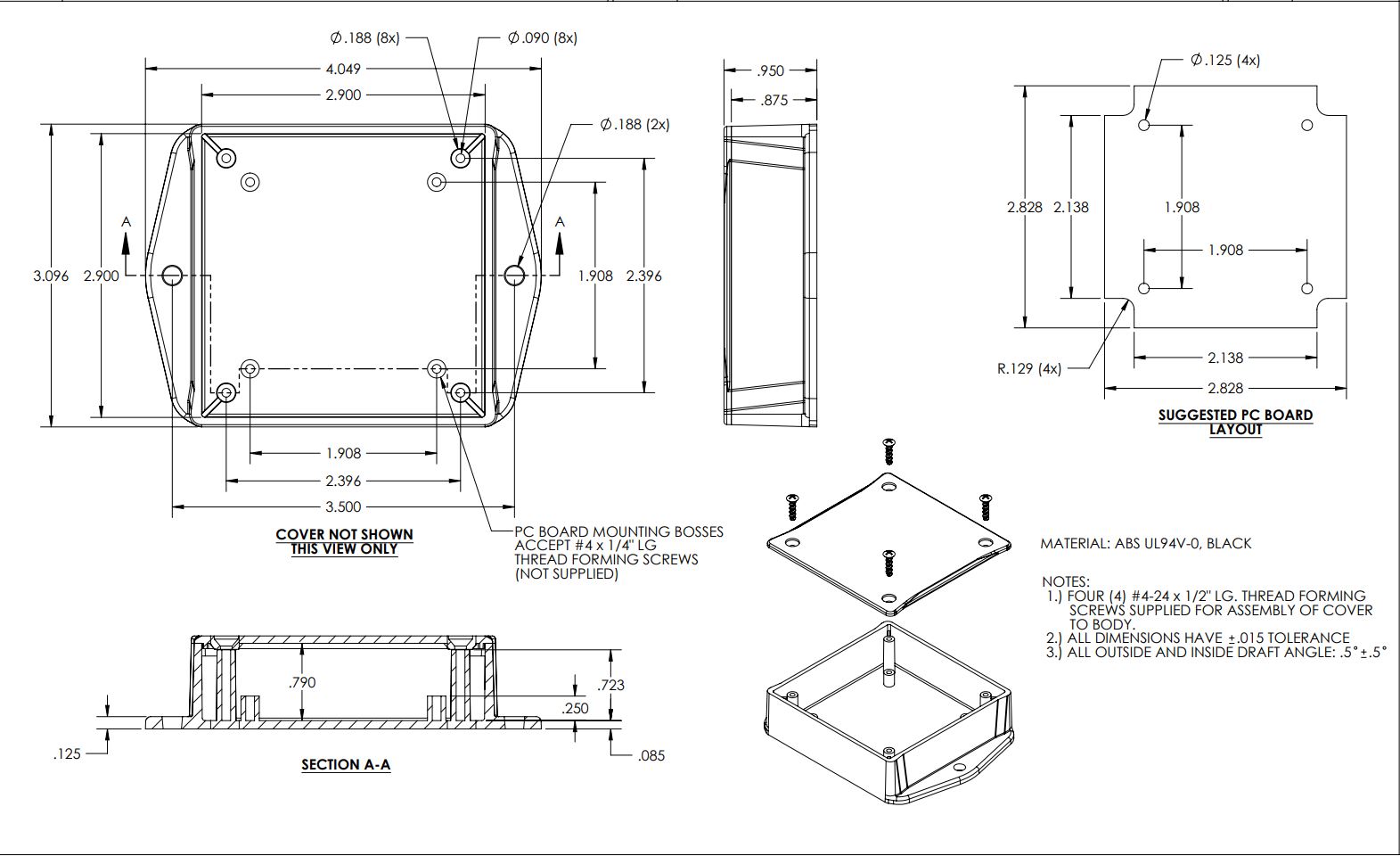
Dimensions3.54″ W × 4.52″ L × 2.16″ H
Enclosure RatingIP65 (main enclosure only); NEMA 1,2,4,4X,12,13; UL-508
Operating Temperature-40°C to +85°C (component rated)
Humidity0–90%
MountingWall-mount or magnet-mount

Ratings & Compliance

868/900MHz ModelsCE/RED, RoHS
2.4GHz ModelsFCC (US), IC (Canada), RCM (Australia), Anatel (Brazil), MIC (Japan), KCC (South Korea), RoHS

Ordering

Part numberPR63-23B
Find Your Fit

Pick the Counter for Your Job

Every one of these runs the same counting engine, the same D-cell power, the same wireless mesh, and the same Atrium dashboard and alerts — and every channel counts to 4,294,967,295. The only question is how many things you need to count from one spot.

Choose how many machines you need to count
1-Channel Production Counter

One input, one count. Wire a photo eye, proximity switch, or contact closure to the single channel and it counts every pulse, even while asleep. The right pick when you need the number off one machine, one line, or one press.

Counting channels1
Best forOne machine or one line
THIS SENSOR
2-Channel Production Counter

Two independent inputs on one battery and one radio. The pick when the number you actually manage is a comparison, good against reject, in against out, cycles against faults, measured on the same device at the same instant.

Counting channels2
Best forA pair you need to compare
3-Channel Production Counter

Three independent isolated inputs sharing one battery, one radio, and one mesh connection. Each channel counts its own machine or station, so one device covers a whole cell and gives you the comparison between them.

Counting channels3
Best forUp to three machines or stations
Applications

Two Channels, and What Goes on Each One

Every one of these needs two counts taken at the same instant. Each channel keeps its own 32-bit counter, so the two numbers arrive already lined up, never stitched together afterward.

Good vs. Reject CountingGood vs. Reject Counting

Yield and scrap rate stop being something reconstructed after the shift ends. Both counts land on one device, so the ratio between them is live while there is still time to act on it.

CH 1Photo eye on the good-parts path
CH 2Sensor at the reject chute
Liveyield and scrap rate
Infeed vs. OutfeedInfeed vs. Outfeed

The gap between what enters a line and what leaves it is work-in-process when the line is healthy and shrinkage when it isn’t. One counter measures both ends against the same clock.

CH 1Break-beam at the infeed
CH 2Break-beam at the outfeed
Both endsof one line
Two Machines, One CounterTwo Machines, One Counter

A pair of presses, molders, or fillers standing side by side can share a single counter — one battery to change, one radio to commission, and one place to see which of the two is falling behind.

CH 1Cycle sensor on machine one
CH 2Cycle sensor on machine two
2 assetsper counter
Cycles vs. FaultsCycles vs. Faults

A raw stop count punishes the machine that ran the most. Counting strokes alongside the stops normalizes it, so what you compare is stops per thousand cycles rather than stops per shift.

CH 1Machine cycle or stroke contact
CH 2Fault or jam relay output
Per-1,000cycle fault rate
Bidirectional In/Out CountingBidirectional In/Out Counting

Two sensors facing opposite directions turn totes, carts, vehicles, or people into an in count and an out count, and the running difference between them is occupancy.

CH 1Sensor facing the inbound direction
CH 2Sensor facing the outbound direction
In, outand occupancy
Paired Flow-Meter LoggingPaired Flow-Meter Logging

Pulse-output meters at each end of a loop should agree. When the two totals stop agreeing, you have a leak or a loss to find, and you knew it before the bill showed up.

CH 1Supply meter pulse output
CH 2Return meter pulse output
Supply vs.return volume
Impressions vs. Waste SheetsImpressions vs. Waste Sheets

Makeready loss is usually estimated at the end of a job, which is another way of saying it is guessed. Counting good sheets against waste on the same device makes it a number per job instead.

CH 1Sheet count at the delivery
CH 2Waste-gate or broke diverter
Makereadyloss, per job
Shots vs. Short ShotsShots vs. Short Shots

A molding process drifts long before anyone calls it a problem. Counting shots against rejects and purges on one counter turns that drift into a rising ratio you can watch, not a bin you notice is full.

CH 1Mold-close or shot signal
CH 2Reject or purge diverter
Process driftbefore the scrap piles up
Strokes vs. Parts Off the DieStrokes vs. Parts Off the Die

On a multi-out die, strokes and parts are not the same number, and the gap between them is what tells you a station has stopped producing. Tooling maintenance gets scheduled on real stroke count.

CH 1Press ram or stroke contact
CH 2Good parts leaving the die
Multi-outstrokes against parts

Only one count to take today? The 1-channel counter does that on its own. Need a third input for rework, a stoppage, or a whole cell? That is the 3-channel counter.

The Cost of Counting One Thing

The Number You’re Missing Is the One in Between.

Output looks fine, quality isn’tA single count says the line hit its number. It cannot tell you that a fifth of what it made came back off the reject chute, so the problem shows up in a customer complaint instead of a dashboard.
Losses get discovered at inventoryCounting only one end of a line means shrinkage is a surprise you find in a count-back weeks later, long after the shift that caused it is impossible to reconstruct.
Two sensors, two storiesCounting a pair with two separate devices means reconciling two clocks and two batteries, and the moment they drift, the ratio you built on top of them stops being trustworthy.
Total Cost of Ownership

Own vs. Rent, 3 Years, 10 Counters

The math is simple. One purchase versus compounding monthly fees.

NCD (Own It)
Competitor Subscription
Hardware (10 counters)
$2,790
$3,000 – $5,000
Gateway / Hub
$649 (one-time)
Included (with subscription)
Monthly Software Fee
$0, None. Ever.
$50 – $100 / machine / month
Data Ownership
100% yours, on your network
Locked in vendor cloud
Contract Required
No contract
1–3 year commitment
Forward to Your Cloud
MQTT, Node-RED, any endpoint
API access extra or unavailable
3-Year Total
~$3,439
$21,000 – $41,000
Your savings over 3 years (10 counters):
SAVE $17,500 – $37,500

Frequently Asked Questions

Answers to the most common questions about two-channel wireless production counting.

Counting & Channels

The IoT Wireless 2 Channel Production Counter from NCD counts events from two separate sensors and transmits both totals wirelessly to a gateway. Each isolated channel connects to a photo eye, proximity sensor, or contact closure and keeps its own running count, so you can measure two related things at once, such as good parts and rejects, without wiring back to a PLC.

Because the number most plants actually manage is a comparison rather than a raw total. Yield is good parts against rejects, shrinkage is infeed against outfeed, and reliability is faults against cycles. A single channel gives you one side of that; two channels on the same counter give you both sides on the same timestamp, so the ratio between them is exact.

Yes. The two inputs are independent, so one channel can read a photo eye while the other reads a proximity switch, a dry contact, or a flow meter’s pulse output. Both accept any PNP or NPN sensor through isolated inputs rated 3.3V to 24V.

Yes, as long as both machines are within cable reach of the counter. Each channel keeps its own count, and Atrium’s Productivity Monitor can report them as two separate assets, so a pair of side-by-side presses or fillers needs only one device to mount, one battery to change, and one mesh connection.

Data & Integration

Yes. Both channels arrive together, so you can overlay them on a single graph, build a widget for the ratio between them, and set triggers on that ratio. Alerts can fire when yield falls below target or the reject rate climbs, not only when raw output drops.

Yes. This is a standalone wireless counter that reads directly from your sensors, so you do not need to tap into the PLC or run new cable to a control cabinet. That makes it a practical fit for older machines, leased equipment, or lines where PLC access is restricted.

Yes. The counter uses an open communication protocol, and the Atrium gateway supports MQTT, Modbus TCP, Node-RED, and a REST API. Both channels’ counts and runtime data can flow into any MES, CMMS, or ERP alongside your existing tools.

Wireless & Power

No. Both channels share one radio and report in the same transmission, and it’s the radio, not the counting, that dominates power draw. The counter runs up to 5 years on a D-cell with Supercap. Note that the D-cell powers the counter itself, not any connected sensors — powered photo eyes and proximity switches run from their own external supply. If you prefer wired power, an external power connector with automatic battery failover is also available.

The counter reaches up to roughly 2 miles line-of-sight on the 868/900MHz models and about 1 mile on 2.4GHz, using long-range wireless mesh networking. In dense indoor environments expect around 1000 ft on 868/900MHz; the self-healing mesh extends coverage by routing through other NCD sensors.

Ownership & Build

No. The counter sends data to your own Atrium gateway or system with zero monthly software fees. You own your production data outright and can keep it on your network or forward it to any MES, CMMS, or cloud platform, with no recurring costs and no vendor lock-in.

Yes. The counter is housed in an enclosure rated IP65 and NEMA 1,2,4,4X,12,13 with UL-508 listing, and the electronics are rated from -40°C to +85°C. Isolated inputs add protection against the electrical noise common on the plant floor, and the unit mounts to a wall or magnetically.

The IoT Wireless 2 Channel Production Counter is designed and manufactured in-house in the USA by National Control Devices, and it is RoHS compliant. NCD has shipped industrial IoT hardware to more than 7,000 customers, and you own both the hardware and the data it produces.

Still have a question?

Our engineers answer in public on the community forum, and the thread stays up for the next person with the same question.

Ask on the NCD Community Forum
IP65 Rated
7,000+ Customers
Ships from USA
Designed & Manufactured In-House
Up to 5-Year Battery Life

Count Both Sides.

One purchase. Full ownership. The ratio that actually runs your line.

Configure Your System
Need help sizing a system? Talk to an engineer or call (866) 960-1270

Extended Lead Time

This product requires extensive manufacturing and testing times. Lead times for Enterprise Series Devices is typically 7-10 business days.

Product Identification
SKU: PR52-3C
UPC: 689860069978
Country of Origin: US
HTS Code: 854231
1+ Pieces
$279.00/ea
10+ Pieces
$267.84/ea
25+ Pieces
$262.26/ea
100+ Pieces
$245.52/ea

Wireless Communication OptionsChange

Please choose a wireless communications module that is legal for use in your region.  Please note: transmission range will be affected by the product options selected below.  If you are in North America, we strongly suggest the 900MHz option for best results.  If you are in Europe, the 2.4GHz and 868MHz versions are the only legal options.  The 2.4GHz option is now certified for use worldwide.  Please note the 2.4GHz version will not penetrate objects as well as the 900MHz and 868MHz versions.  If you need help choosing a wireless option, please contact us.  This option will determine how we build this product and any applicable accessories that may be displayed below.

Two Magnetic AttachmentsChange

Push ButtonsChange

Wireless Interface Options for NCD Enterprise IoT Sensors & DevicesChange

Where would you like to send your sensor data?

NCD Enterprise IoT Sensors and Devices are capable of communicating to computers and popular cloud platforms using a variety of interface technologies.  Please choose the communication interface technologies that best matches your application requirements.  You may choose more than one, as NCD Wireless Sensors are capable of sending data to multiple destinations simultaneously.  If you do not already have a receiver for your wireless sensor, you must select a sensor receiver solution below. *Note for Vibration Sensors Vibration data is a more complex data structure and is not recommended to be used with embedded devices such as the MQTT, AWS, or Azure gateways.